MicroCloud (LXD) Coriolis Plugin
Coriolis integrates the platform Plugin on the Appliance itself, this way there is no need for agents to be deployed on platforms to establish the communication between the platform and the Coriolis components. Coriolis guarantees the connection to the supported platform set up to be used as a Destination, as long as the requirements are met.
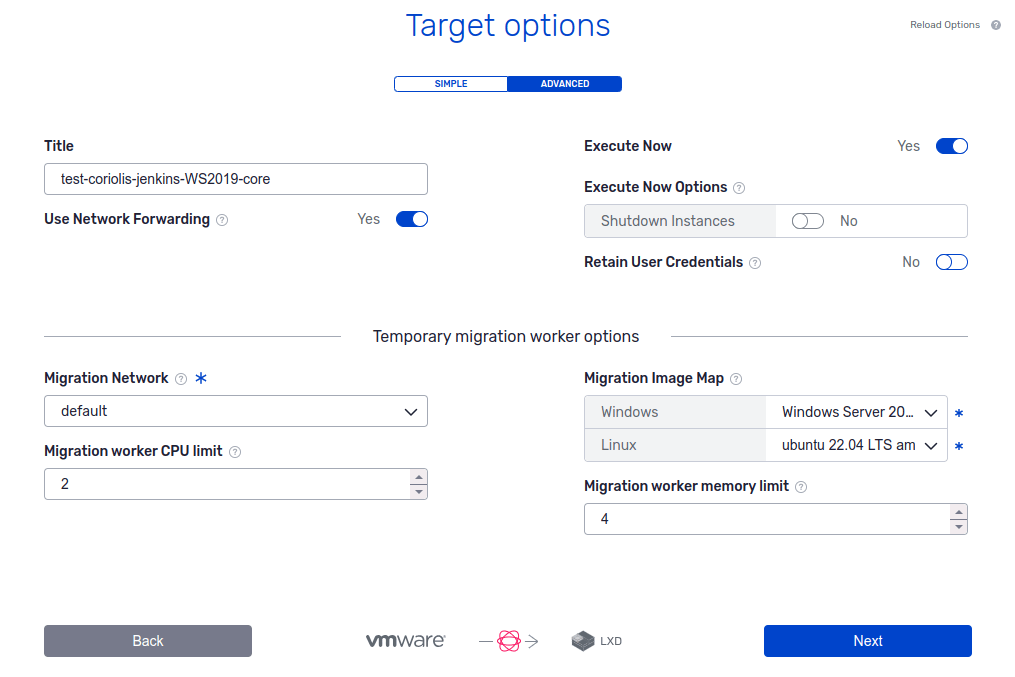
MicroCloud destination cloud
For detailed information regarding MicroCloud capabilities and performed steps while using it as a destination cloud, please check the following page:
LXD Endpoint Connection Parameters
In order to connect to LXD to perform migration to it, the following connection parameters are required:
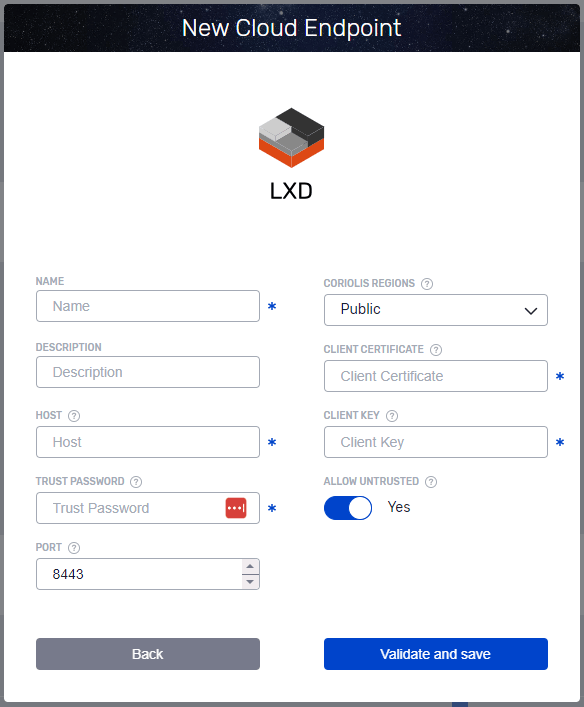
LXD endpoint setup
The LXD Coriolis endpoint uses the client key pairs, which can be generated using openssl. Coriolis uses the LXD trust password to authenticate the client keypair and can allow self-signed certificates too.
LXD keypair generation
Run the command below to generate a new keypair:
openssl req -x509 -newkey rsa:2048 -keyout lxd_coriolis.key -nodes -out lxd_coriolis.crt -subj "/CN=lxd.local" -days +3650
Add the certificate to be trusted in LXD:
lxc config trust add lxd_coriolis.crt
Endpoint authentication
After generating the client keypair, input it into the Coriolis Endpoint in base64 format.
base64 -w0 lxd_coriolis.crt<br>base64 -w0 lxd_coriolis.key
LXD platform specifics
Supported Actions: |
Migration Destination - Replica Destination |
Comments |
|---|---|---|
Plugin identifier |
lxd |
Identifies the plugin. Used for the **- provider **CLI parameter |
Credentials needed |
Client certificate, trust password |
Necessary credentials to give to Coriolis. |
Deployment requirements |
Coriolis worker component(s) need network access to the LXD APIs. |
Coriolis deployment and environment connectivity requirements |
DRaaS source requirements |
LXD is not currently supported as a DRaaS source |
Requirements to use the replica export (DRaaS source) features |
Instance identification scheme |
Names must be unique |
How instances to migrate/replicate are identified on a source cloud handled by this plugin |
Network identification scheme |
Names of VM Networks |
How the plugin identifies networks. Required for the network_map field of the - destination-environment |
Example of connection info JSON to be passed to the LXD plugin
{
  "host": "10.8.1.227",
  "trust_password": "S3kret",
  "port": 8443,
  "client_certificate": "LS0tLS1CRUdJTiBDRVJUSUZJQ0FURS0tLS0tCk1JSURDVENDQWZHZ0F3SUJBZ0lVQWZQejU0cnJLSzQydlhDQnJOemdaMnh4Q0lFd0RRWUpLb1pJa...",
  "client_key": "LS0tLS1CRUdJTiBQUklWQVRFIEtFWS0tLS0JSUV2UUlCQURBTkJna3Foa2lHOXcwQkFRRUZBQVNDQktjd2dnU2pBZ0VBQW9JQkFRQ2s4UDRXWVI1a0tjOHAKOTRQRUZMN0dQcUwvc3...",
  "allow_untrusted": true
}
Each parameter represents:
host (string) - The MicroCloud/LXD hostname
trust_password (string) - MicroCloud/LXD instance’s trust password, used for authenticating new client key pairs
port (integer) - The port number for accessing MicroCloud/LXD
client_certifiate (string) - Base64-encoded contents of the LXD client certificate
client_key (string) - Base64-encoded contents of the LXD client key
allow_untrusted (boolean) - Trust self-signed HTTPS certificates