VMWare Coriolis Plugin
Coriolis integrates the platform Plugin on the Appliance itself, this way there is no need for agents to be deployed on platforms to establish the communication between the platform and the Coriolis components. Using this type of architecture, Coriolis guarantees the connection to the supported platform set up to be used as either Source or Destination, as long as the requirements are met. VMware platform is supported via Coriolis Plugins as a stand-alone ESXi (source-only) and VMware vSphere.
Coriolis connects to the vCenter management interface REST API to collect information about the VMs and to handle snapshot creation and data replication.
VMware Tools should be installed and updated to the latest current version available on the source VMs.
Deployment requirements and supported vSphere/ESXi versions
The Coriolis worker components need network access to the API endpoint of the vCenter/ESXi host. (usually HTTPS/443)
For CBT-enabled Coriolis Migrations, as well as Coriolis Replicas (DRaaS), the Coriolis worker components will need TCP/902 network access to the ESXi host. If using a multi-host vSphere, any ESXi host can perform the CBT export, so network access to all of them is required.
NOTE! Both the suggested standard management port (443) and backup port (902) are configurable so that they may differ from environment to environment.
NOTE! In a vSphere environment, the Coriolis virtual appliance must be able to connectover port TCP/902 to every ESXi node. This might require additional network setup consideration if the ESXi nodes reside on a separate or private network.
NOTE! The Coriolis virtual appliance must be able to resolve the FQDNs of the ESXi hosts if they are enrolled under vSphere.
Refer to the Network Ports Requirements page for more details.
Supported versions
Coriolis supports VMware vSphere (vCenter/ESXi) environments starting from version 6.0 and is compatible with newer releases up to 8.0.x (including 8.0.3). EOL versions of the VMware solutions are no longer covered by vendor support nor actively tested with Coriolis.
vSphere as a source cloud
For more information on using vSphere/ESXi as a source cloud for Replica/MIgration, please check the VMware as a source cloud page.
vSphere as a destination cloud
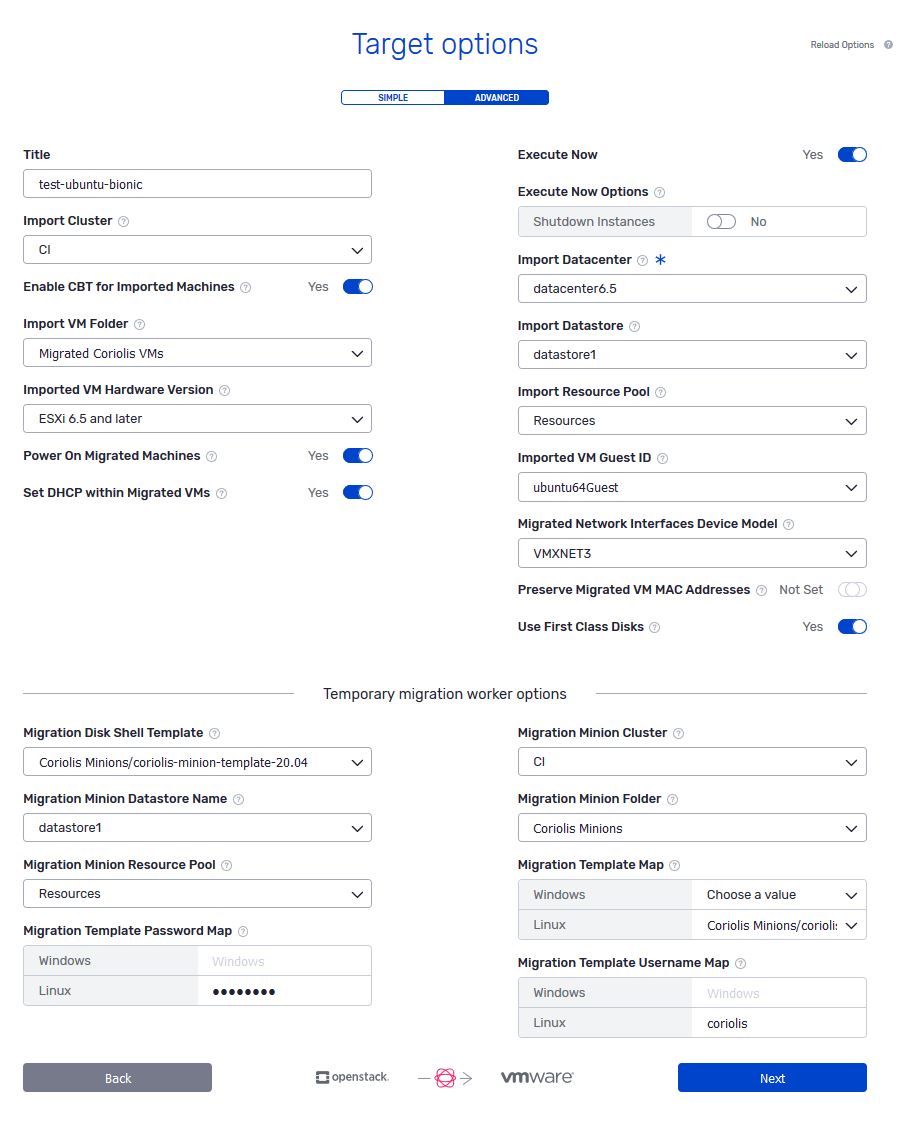
For more information on using vSphere/ESXi as a destination cloud for Replica/MIgration, please check the VMware as a destination cloud page.
vSphere/ESXi connection parameters
To connect to vSphere/ESXi to perform a migration/replica from that cloud, the following connection parameters are required:
Example of connection info JSON to be passed to the VMWare vSphere plugin
{
     "host": "10.7.1.2",
     "port": 443,
     "username": "jack@vsphere.local",
     "password": "SeKr3t",
     "allow_untrusted": false
 }
Each parameter represents:
host (string) - the address or resolvable domain name of the vSphere host
port (integer) - the port on the host to which to connect to
username (string) - the username of the vSphere user to login with (must include the “@domain” part)
password (string) - the password of the vSphere user to log in with
allow_untrusted (boolean) - whether to skip certificate verification if the vSphere endpoint has self-signed certificates (default is false)
When using hostnames for the ESXi/vCenter hosts, Coriolis needs to be able to resolve them.
VMware platform specifics
Supported Actions: |
Migration (CMaas) Source/Destination - Replica (DRaaS) Source/Destination |
Comments |
|---|---|---|
Plugin identifier |
vmware_vsphere |
Identifies the plugin. Used for the - provider CLI parameter |
Credentials needed |
Standard vSphere user credentials, not necessarily with administrative rights |
Necessary credentials to give to Coriolis |
Deployment requirements |
Coriolis worker component(s) need network access to the vCenter/ESXi API endpoint. Network access to the ESXi hosts, (not necessarily the one the VM is on) is also required. |
Coriolis deployment and environment connectivity requirements |
Source disk export requirements |
All VM disks must be normal virtual disks located on a datastore of a simple type like VMFSChanged Block Tracking (CBT) must be available for use and enabled on all the disks of the VMs which will be replicatedCoriolis can be optionally configured to enable CBT itself granted the VM has no pre-existing snapshotsPassthrough/remote/iSCSI disks cannot have CBT enabled on them, so they are not supported |
Requirements to use the replica export (DRaaS source) (DRaaS source) (DRaaS source) (DRaaS source) features |
Instance identification scheme |
Slash-separated VM inventory path starting with datacenter(ex: “DC1/somevmfolder/The VM”)If VM is at top-level, datacenter may be omitted (ex: “DC1/The VM” can be “The VM”) |
How instances to migrate/replicate are identified on a source cloud handled by this plugin |
Network identification scheme |
Names of VM Networks (ex: “VM Network Local”)If a VM is attached to a Distributed Virtual Switch (DvS), the name of the DvS Port Group is referenced. |
How the plugin identifies networks. Required for the network_map field of the - destination-environment |
Storage identification scheme |
Names of datastore hosting the virtual disks(s) |
How the plugin identifies storage backends. Required for the storage_map field of the - destination-environment |
VMware Coriolis plugin known issues
For further information regarding the VMware Plugin’s known issues, please check the documentation page.